cadmark · CAD in the browser
Say it.See it.
Open STEP files, recognise holes and preview changes before applying them – right in your browser.
7 days free, then CHF 20 / month. Card required at signup. Cancel monthly. AI costs are separate.
Example: one change, in conversation
You: Make H3 2 mm larger
Assistant: PreviewH3: Ø 6 → Ø 8 mm. Apply or discard?
✓ Applied · Undo
Real product example
From 6.6 to 8 mm. With preview and undo.
Checked on the parametric demo part: change the hole diameter, apply the preview, undo and export as STEP. After reimport, cadmark recognises the four mounting holes at Ø 8 mm.
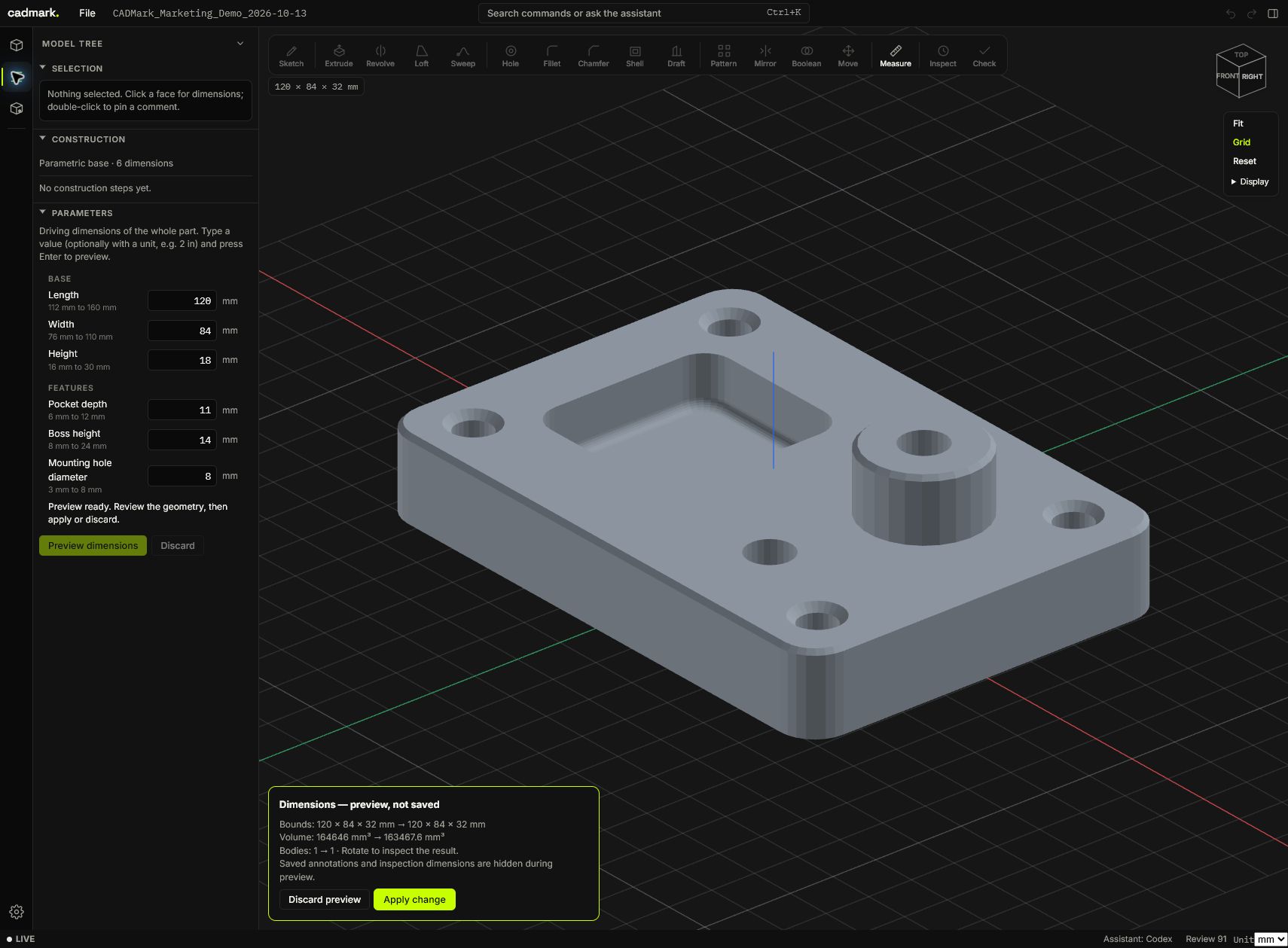
Free downloads, no account required. Open STEP in a CAD application that supports it; interpret the STL coordinates as millimetres on import (120 × 84 × 32 mm). The cadmark web app requires a separate account and subscription.
Will cadmark fit your part?
Tell us the file format and the change you want to make. We can discuss a suitable workflow for your use case before you start the trial.
The problem
“The left hole.”Which one?
A part has many holes and no names. Every description is vague, every follow-up question costs time. After the next rebuild every face has a different name.
H1 · H2 · H3 — cadmark recognises the features and names them.
Shared language
H3 stays H3.
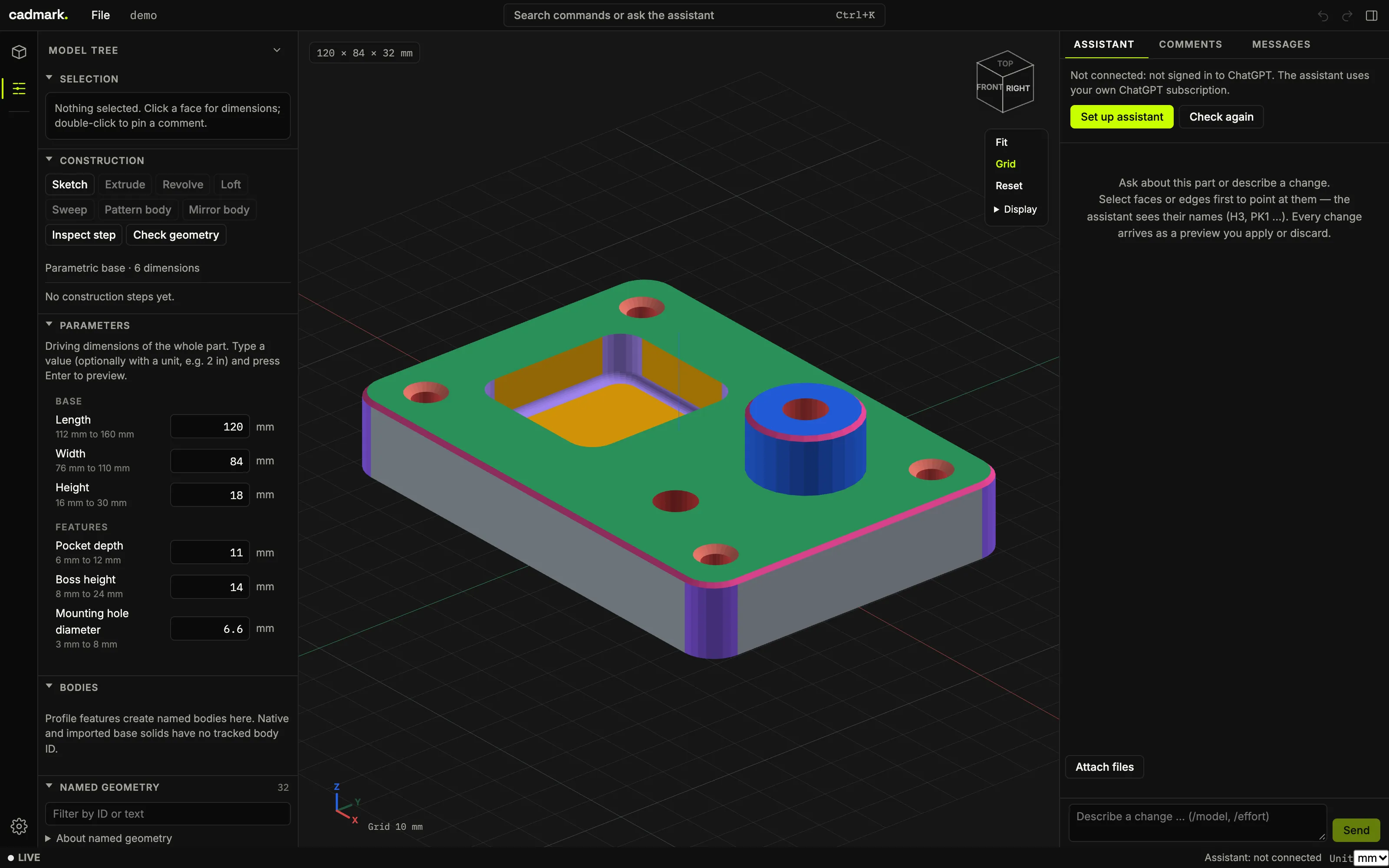
cadmark recognises holes, countersinks, slots, pockets, ribs, chamfers and hole patterns and gives them stable names. The names survive every dimension change. You and the AI point at the same geometry.
Dimensions come from the exact CAD kernel, not from the display mesh.
- OpenCascade
- kernel through CadQuery
- Features
- holes, countersinks, pockets, ribs, chamfers, bolt circles
- Names
- H3, PK1 – stable across changes
AI-first
Describe. Preview. Decide.
The assistant builds and changes parts from words or a photo of a sketch. Every change arrives as a preview. You apply or discard it. And undo it whenever you like.
Bolt circle with 6 holes Ø 5 on the boss.
Preview: 6 holes on a Ø 20 pitch circle, named H5 to H10.
✓ Applied · Undo
Describe
In words or with a photo of your sketch.
Preview
The change appears on the part before it counts.
Apply or discard
With undo. Nothing happens without you.
Your account, your AI
No markup on AI. No black box.
The assistant runs on your own account: ChatGPT, Claude or Ollama. You sign in right inside the app. BEYWARE bills no AI costs and only looks at your conversations if you ask us to.
To be clear: AI costs are not included in the subscription. The CAD features work without AI too.
Assistant
ChatGPT, Claude or Ollama
Connected
In the browser
Nothing to install.
cadmark runs on Windows, macOS and Linux in a current browser. Your workspace lives on a server in Germany, separated per account.
- Windows
- macOS
- Linux
- Server in Germany
The PDF drawing contains first-angle views, overall dimensions and a hole table.
- Sketches
- Extrude
- Revolve
- Loft
- Sweep
- Mirror
- Patterns
Price
CHF 20/ month
- 7 days free
- cancel any month
- manage account and invoices yourself
CHF 20 per month · 7 days free, then cancel any month. Secure payment through Stripe.
A card is stored when you start and charged only after 7 days. AI costs are not included. The terms of use and the withdrawal policy apply (in German).
Typical tasks
What you do with cadmark.
Open a STEP file in the browser
Upload a STEP, IGES, BREP or STL file and inspect the part right in your browser – no CAD installation, on Windows, macOS or Linux. Zoom to cursor, orbit around the point you click, a view cube and a grid help you look around.
Recognise holes and features automatically
cadmark finds holes, countersinks and counterbores, slots, pockets, grooves, ribs and chamfers, plus hole rows, grids and bolt circles. Every feature gets a stable identifier such as H3 so you can refer to it unambiguously.
Change the dimensions of a part
Select a recognised feature, change its dimensions or add new operations. A preview shows the result first and every change can be undone. Dimensions come from exact geometry, not from the display mesh.
Create a technical drawing from a STEP file
Export the part as a PDF drawing: front, top and side views in first-angle projection with hidden lines, an isometric view, overall dimensions, hole callouts, a hole table and a title block. cadmark picks scale and sheet size itself.
Edit a CAD model with AI
Describe a change in words and refer to identifiers such as H3. The assistant works on the same part through your own ChatGPT or Claude subscription or through Ollama; every change stays reviewable and can be undone. The CAD features also work without AI.
Hand over as STEP or STL
Export the changed part as STEP for other CAD systems or as STL, for example for 3D printing.
Features
Everything on one part.
- Feature recognition
- Holes with drill points, countersinks and counterbores, slots, pockets, grooves, ribs and chamfers.
- Patterns and standards
- Rows, grids and bolt circles; matched against ISO clearance and tap drill holes.
- Stable identifiers
- H3 stays H3 when dimensions change. Comments and checks keep their target.
- Parametric editing
- Change dimensions, add operations, review a preview, undo.
- CAD view
- Zoom to cursor, orbit around the point you click, view cube and grid – also for long profiles.
- Import and export
- Open STEP, IGES, BREP and STL; export STEP, STL or a technical drawing (PDF).
Requirements
Open a browser, start.
Runs in a current browser (Chrome, Edge, Firefox or Safari) on Windows, macOS and Linux; a desktop or laptop screen is recommended. Projects and uploads are stored on BEYWARE's server in Germany (netcup), separated per account. The AI assistant uses, as you choose, your own ChatGPT subscription, your own Claude subscription (Pro/Max) or your own Ollama server or Ollama Cloud. The BEYWARE server itself runs no AI model.
Who it is for: designers, engineers and makers who want to understand and change parametric parts faster – on Windows, macOS or Linux.
Questions & answers
Good to know.
Do I need to install anything?
No. cadmark runs in the browser on Windows, macOS and Linux. Sign in and open the app at beyware.com/app/.
Which file formats does cadmark support?
You can open STEP, IGES, BREP and STL. You can export STEP, STL or a technical drawing (PDF) with views, overall dimensions and a hole table.
Does cadmark run on a Mac or on Linux?
Yes. cadmark runs in a current browser (Chrome, Edge, Firefox or Safari) on Windows, macOS and Linux. A desktop or laptop screen is recommended.
What does cadmark cost?
CHF 20 per month. The first 7 days are free; a card is stored when you start and charged only afterwards. You can cancel any time, effective at the end of the current period.
Do I need an AI subscription?
No. The CAD features work without AI. For the assistant you choose inside cadmark: ChatGPT or Claude with your own subscription, or Ollama with your own server or Ollama Cloud. BEYWARE bills no AI costs; they are not included in the cadmark price.
Where are my CAD files stored?
On BEYWARE's server in Germany (netcup), separated per account. Your files remain yours; also export important versions as STEP. When you use the assistant, your requests and the necessary model data go only to the provider you chose: OpenAI (ChatGPT), Anthropic (Claude) or the Ollama server you name.
How do I cancel?
In your account under ‘Abo & Rechnungen verwalten’ (manage subscription and invoices). There you can also change your payment method and download invoices. Access stays until the end of the paid period.
How do I pay?
Through Stripe by card. BEYWARE never sees or stores card details.
Legal (in German): Terms of use · Right of withdrawal